Security by Design: How ContributorIQ's GitHub App Protects Your Code
ContributorIQ uses a read-only GitHub App with short-lived tokens, encrypted storage, and minimal permissions. Learn how we analyze your repositories without ever storing your source code.
- Introduction
- GitHub App vs. OAuth App vs. Personal Access Tokens
- Installation Flow
- Read-Only Permissions
- Token Security
- What We Analyze vs. What We Store
- Security in the Analysis Pipeline
- For M&A Due Diligence
- Revoking Access
- Getting Started
Introduction
When you connect a code analysis tool to your GitHub organization, you're granting access to some of your company's most sensitive intellectual property. The permissions model, token lifecycle, and data handling practices of that tool matter enormously, especially in contexts like M&A due diligence where confidentiality is paramount.
ContributorIQ was designed from the ground up with a minimal-access architecture. We use a GitHub App (not a personal access token or OAuth app) with read-only permissions, short-lived tokens, and encrypted storage. This post explains exactly how the system works, what data we access, and what we never touch.
GitHub App vs. OAuth App vs. Personal Access Tokens
GitHub offers several authentication mechanisms, and the differences matter for security:
| Mechanism | Scope | Token Lifetime | Org Control |
|---|---|---|---|
| Personal Access Token | Tied to a user, broad permissions | Long-lived (up to never expiring) | No org approval required |
| OAuth App | User-scoped, requested at login | Refreshable, but often long-lived | Limited org control |
| GitHub App | Installation-scoped, granular permissions | Short-lived (1 hour max) | Org admin must approve |
ContributorIQ uses a GitHub App because it provides the strongest security model. The app is installed at the organization level by an admin, permissions are granular and read-only, and access tokens expire within one hour.
Installation Flow
Setting up ContributorIQ takes about 30 seconds:
- Click Install GitHub App from your ContributorIQ dashboard
- GitHub redirects you to the app's installation page
- Select the organization you want to analyze
- Choose which repositories to grant access to (all or a specific subset)
- GitHub redirects back to ContributorIQ with a secure installation ID
The entire flow is protected by a CSRF state token that prevents cross-site request forgery. The token is generated before the redirect, verified on callback, and cleared immediately after use.
Organization admins retain full control. They can modify which repositories are accessible, revoke the installation entirely, or review the app's permissions at any time from GitHub's settings.
Read-Only Permissions
ContributorIQ requests only the minimum permissions needed to analyze commit metadata:
- Repository contents: Read-only. Used to clone repositories and read commit history.
- Repository metadata: Read-only. Used to list available repositories.
We do not request write access to repositories, issues, pull requests, workflows, or any other GitHub resource. The app cannot push code, create branches, modify settings, or take any action that changes your repositories.
Token Security
Short-Lived Access Tokens
GitHub App installation tokens expire within one hour. ContributorIQ generates tokens on demand when running an analysis and caches them with a five-minute safety margin before their actual expiration. When the token expires, a fresh one is generated automatically.
This is fundamentally different from personal access tokens, which can persist indefinitely and represent a long-term credential theft risk.
JWT Authentication
To request installation tokens, ContributorIQ authenticates with GitHub using a signed JWT (JSON Web Token). The JWT is:
- Signed with an RSA private key using the RS256 algorithm
- Valid for only 10 minutes (the maximum GitHub allows)
- Generated fresh for each authentication request
The private key is stored as an environment variable on the server, never committed to source control, and never exposed in logs or API responses.
Encrypted Storage
When ContributorIQ caches an installation access token, it is encrypted at rest using Laravel's encryption system (AES-256-CBC). Even in the unlikely event of a database breach, cached tokens would be unreadable without the application's encryption key.
What We Analyze vs. What We Store
This distinction is the core of our data handling philosophy.
What we analyze (temporarily, during an audit):
- Commit metadata: author name, email, timestamp, lines changed
- File paths touched by each commit
- Repository structure and file listings
What we store (permanently, in your account):
- Aggregated contribution statistics per contributor
- Calculated metrics: bus factor, Gini coefficient, lifecycle stage, DOA scores
- Contributor identity mappings (name/email associations)
- Organization and repository metadata (names, IDs)
What we never store:
- Source code or file contents
- Commit messages
- Pull request discussions or issue content
- Branch names or tags (beyond what's needed for analysis)
- Webhook payloads
- Raw Git objects
When ContributorIQ clones a repository for analysis, the clone is temporary. After extracting commit metadata, the repository data is not retained. We process the Git log, calculate our metrics, and discard the working copy.
Security in the Analysis Pipeline
Credential Isolation
When cloning repositories, ContributorIQ uses Git's GIT_ASKPASS mechanism to provide credentials through a temporary script rather than embedding tokens in clone URLs. This prevents tokens from being persisted in .git/config files or appearing in process listings.
Log Redaction
All logging throughout the analysis pipeline automatically redacts access tokens. If a Git operation fails and produces error output, the token is replaced with [REDACTED] before the message is stored.
For M&A Due Diligence
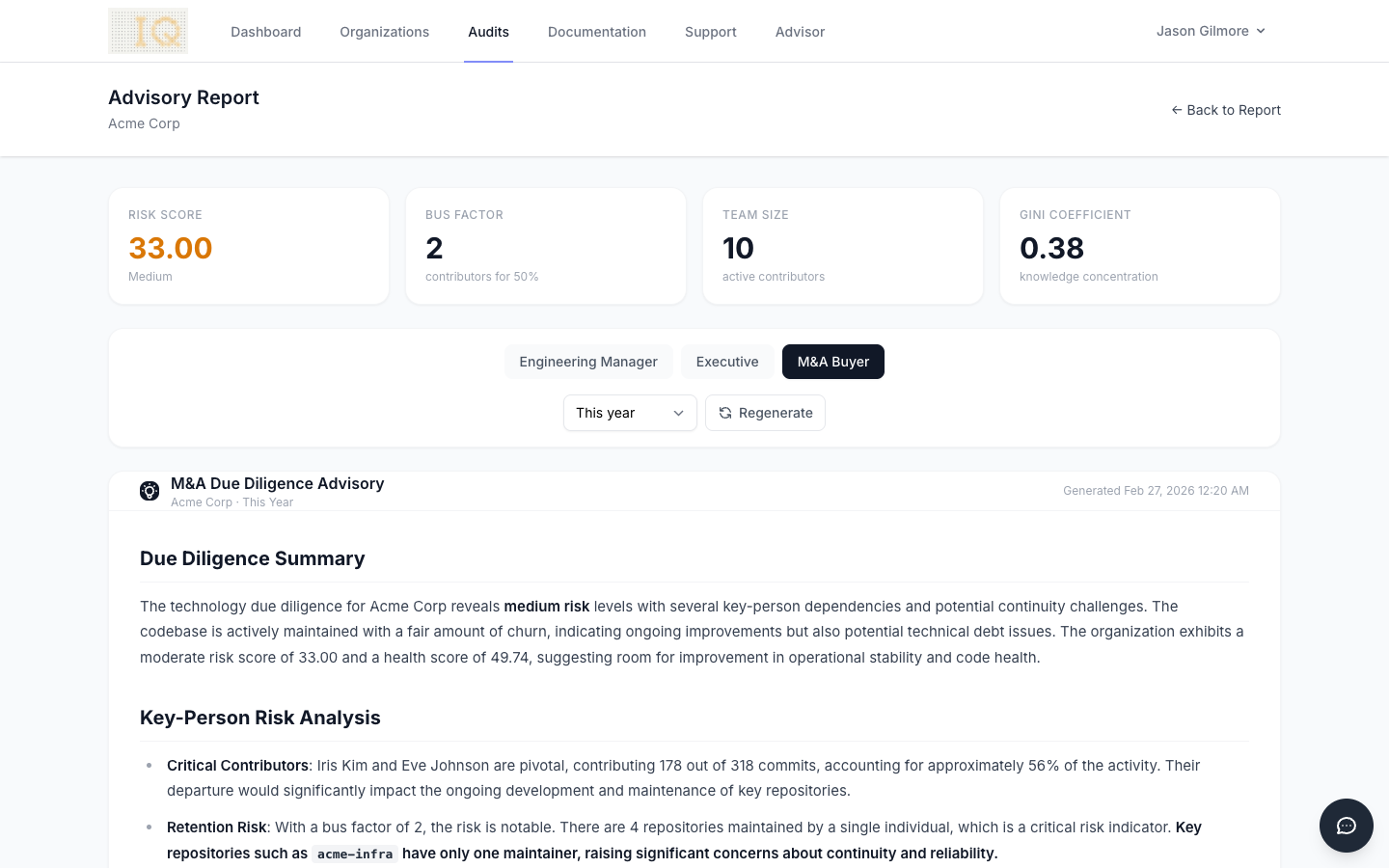
Security is especially critical in M&A contexts, where both the buyer and the target company need confidence that the analysis tool won't leak proprietary information.
ContributorIQ's architecture addresses common due diligence concerns:
- No persistent code access: Tokens expire within an hour, and repository clones are temporary
- Org admin control: The target company's GitHub admin can scope access to specific repositories and revoke it at any time
- Minimal data retention: We store metrics and statistics, not source code or commit content
- Encrypted at rest: All sensitive data is encrypted in the database
Revoking Access
If you decide to stop using ContributorIQ or need to revoke access for any reason, the process is straightforward:
- Go to your GitHub organization's Settings > Integrations > GitHub Apps
- Find ContributorIQ and click Configure
- Click Uninstall to remove the app entirely
Uninstalling the GitHub App immediately revokes all access tokens. ContributorIQ will no longer be able to access any repositories in your organization. Your existing audit data and metrics remain in your ContributorIQ account, but no new data can be collected.
Getting Started
Ready to analyze your engineering team with confidence that your code stays private? Install the ContributorIQ GitHub App from your dashboard and run your first audit in minutes. Your source code never leaves GitHub, and you stay in control of access at every step.