Time-Based Filtering: Analyze Engineering Trends by Quarter, Month, or Custom Period
ContributorIQ's time-based filtering lets you analyze contributor activity across six different time windows. Compare quarterly performance, track recent trends, and spot engagement changes before they become retention problems.
- Introduction
- Six Supported Time Periods
- What Changes When You Filter
- Use Cases for Time-Based Filtering
- Combining Filters
- Time Filtering in Reports and Advisors
- Getting Started
Introduction
A snapshot of your engineering team tells you where things stand today. But the real insights come from understanding how things are changing over time. Is contributor activity ramping up or winding down? Did code churn spike this quarter compared to last? Are the same people carrying the load month after month, or is knowledge spreading across the team?
ContributorIQ's time-based filtering lets you answer these questions by scoping any analysis to a specific time window. Every metric, report, and contributor table updates dynamically when you change the filter, so you can compare periods and spot trends without running multiple audits.
Six Supported Time Periods
ContributorIQ supports six time windows that cover the most common analysis scenarios:
| Time Period | Description | Best For |
|---|---|---|
| All time | Complete contribution history | Baseline analysis and historical context |
| This year | January 1 through today | Annual reviews and year-over-year comparison |
| This quarter | Current calendar quarter | Quarterly business reviews and board reporting |
| This month | Current calendar month | Sprint-level visibility and recent changes |
| Last 90 days | Rolling 90-day window | Trend analysis that crosses quarter boundaries |
| Last 30 days | Rolling 30-day window | Immediate activity and recent engagement |
The default view is "This Year," which provides a reasonable balance between recency and historical depth for most teams.
What Changes When You Filter
When you select a time period, ContributorIQ recalculates every metric in the view against only the commits that fall within that window. This affects:
- Total commits, lines added, and lines deleted for the entire organization
- Per-contributor metrics including commit counts, authorship footprint, and activity status
- Per-repository metrics including contributor counts and code churn ratios
- Domain expert identification based on who contributed most within the filtered period
- Code health indicators like churn ratio (lines deleted versus lines added)
This means that a contributor who was your top committer "All time" might not even appear in the "Last 30 days" view if they've been inactive. That kind of contrast is exactly what time-based filtering is designed to surface.
Use Cases for Time-Based Filtering
Quarterly Performance Reviews
Engineering managers preparing for quarterly reviews can filter to "This Quarter" to see exactly what each contributor delivered during the review period. Combined with lifecycle stage data, this provides a data-driven foundation for performance conversations.
Detecting Engagement Changes
Compare "Last 30 days" against "Last 90 days" to identify contributors whose activity is trending downward. A developer who averaged 40 commits per month over the past quarter but only made 5 this month may be disengaging, transitioning to a different project, or dealing with blockers that need attention.
M&A Due Diligence Periods
Buyers evaluating an acquisition often need to understand the engineering team's recent trajectory, not just historical patterns. Filtering to "Last 90 days" or "This quarter" during due diligence reveals whether the team is stable, growing, or contracting. A healthy all-time bus factor that has deteriorated in the last quarter tells a very different story from one that has been stable.
Post-Acquisition Monitoring
After closing a deal, PE firms and acquirers can use rolling 30-day and 90-day windows to monitor whether the engineering team is maintaining its pre-acquisition pace or showing signs of post-merger attrition.
Combining Filters
Time-based filtering works alongside ContributorIQ's employment status filter. You can scope your analysis to only current employees within a specific time period, removing noise from departed contributors whose commits still appear in the historical record.
This combination is especially useful for organizations that have experienced turnover. Filtering to "This Quarter" with "Only employed contributors" shows you the productive capacity of the team as it exists today, not as it existed six months ago.
Time Filtering in Reports and Advisors
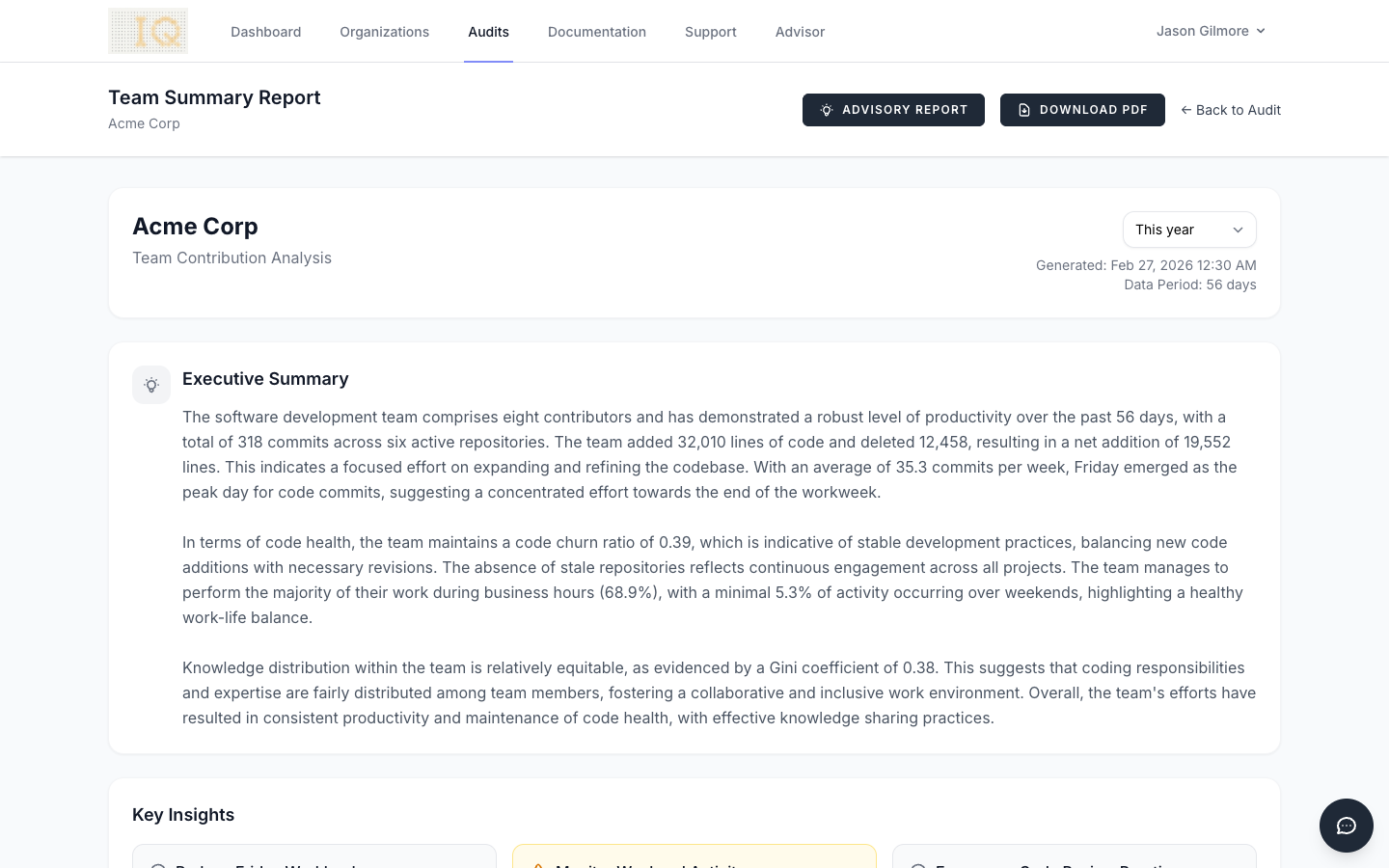
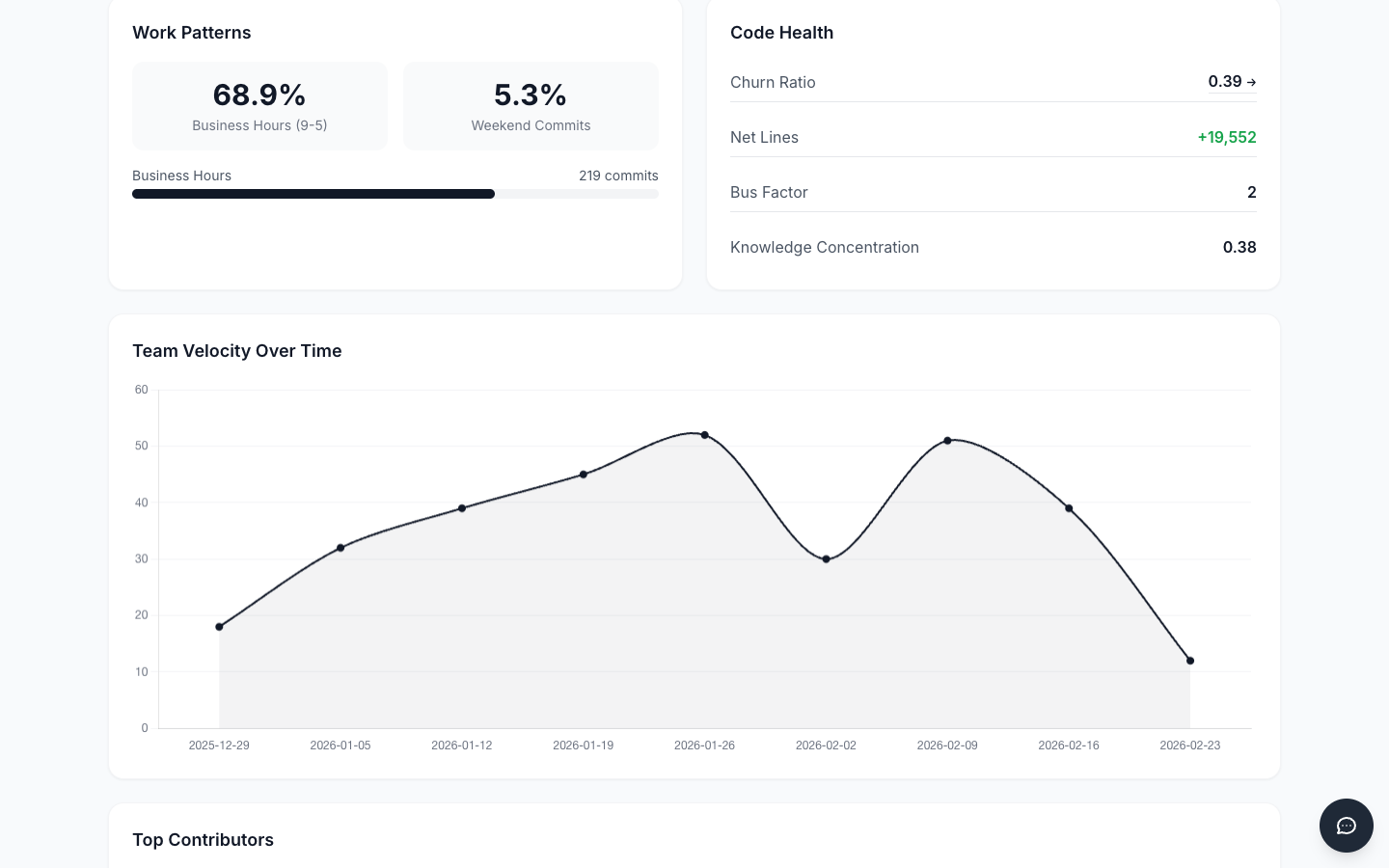
Time period selection carries through to ContributorIQ's report generation and AI Advisor features. When you generate a Team Summary report or request an AI Advisor analysis, the selected time period scopes the data used in the report. This means you can generate quarterly advisor reports that reflect only that quarter's activity, then compare them side by side to track organizational health trends over time.
Getting Started
Time-based filtering is available on every audit dashboard and report view. After running an audit on your GitHub organization:
- Navigate to the audit results page
- Use the Time Period dropdown at the top of the page
- Select your desired window
- All metrics, tables, and visualizations update automatically
No additional configuration is required. Filtering works with any completed audit and applies retroactively to all historical commit data.